User guide
It only takes a few minutes to start using the site.
Create your account, join your guild, mark the flowers you own, then view the shared collection.
1
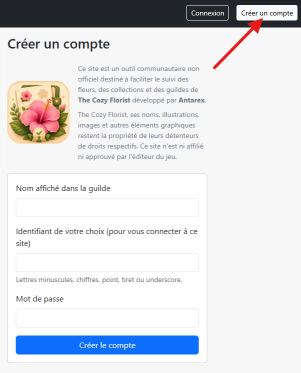
Create your account
Registration lets you save your collection and take part in one or more guilds.
- Open the registration page.
- Choose your username and password.
- Then log in with this account.
- In My account, you can choose the name that other members will see.
No personal data is requested: neither your in-game ID nor your email address.
If you lose your password, contact the site administrator so they can set a new one for you.
If you lose your password, contact the site administrator so they can set a new one for you.
2
Join a guild
A guild makes it easy to compare the collections of several players.
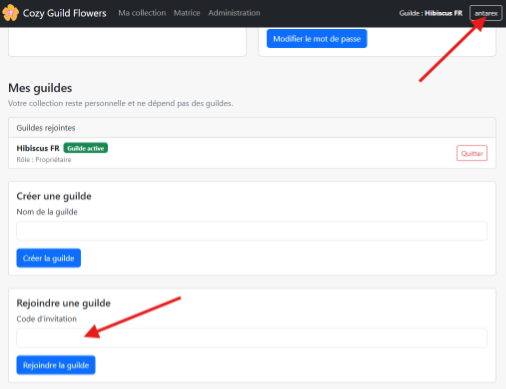
- Ask your guild manager for the invite code.
- Open the My account page.
- In the Join a guild section, enter the code you received.
- Confirm with the Join guild button.
3
Mark the flowers you own
Your personal collection is saved to your account and remains independent of your guilds.
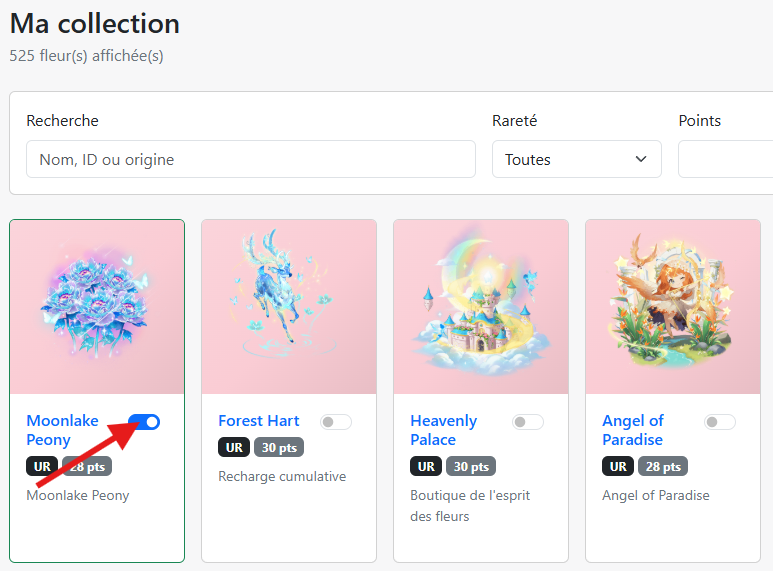
- Open the flower catalog.
- Find a flower you own in the game.
- Check it to add it to your collection.
- Simply uncheck it if you want to remove it.
Each player manages only their own collection. Other guild members cannot change your flowers.
4
View guild flowers
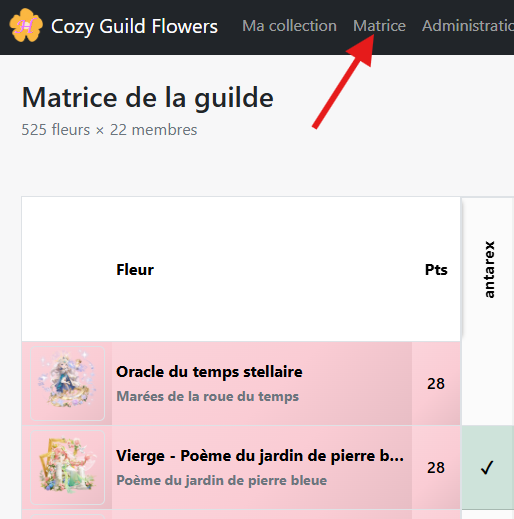
The guild view lets you quickly see which members own each flower.
- Open the guild flower table (matrix).
- For each flower, you can see which members have marked it in their collection.
- Use this view to quickly identify flowers available within the group.
Tip:
keep your collection up to date. The guild view is most useful when each member’s information is current.